USE CASE

Clear rules for overtime and allowances

Shift work, field work and urgent tasks can produce overtime through longer days, extra workdays or period limits. CrewTango calculates it using saved rules and shows each pay component separately.

Multipliers ×1 / ×1.5 / ×2… Positive and negative components Daily and weekly rules
CrewTango overtime calculation dashboard
EXAMPLE WEEK

Different overtime types need shared rules

Work may finish late one day, an extra shift may be added another week, and a bonus or correction may apply at period-end. Shared rules make clear which hours are overtime and how the amount was calculated.

  • Manual calculation increases the risk of errors
  • A clear breakdown makes results easier to check
  • Spotting corrections early makes pay preparation easier
Team completing planned work after hours
THE SOLUTION

One set of rules for the whole team

CrewTango collects time, applies saved overtime rules and shows each calculation component separately.

Overtime rules and multipliers

Define allowance types and multipliers. The system applies them consistently.

Clear pay breakdown

See regular time, overtime, bonuses and deductions separately.

Limits and calculation periods

Rules can apply daily, weekly or monthly, including paid-hour limits.

SAMPLE PAY CALCULATION

See exactly what the pay covers

This sample week includes several hour types and an additional component. Every authorised user sees the same figures and rules in the breakdown.

Type Multiplier Hours Rate Bonus / Deduction Amount
Regular time×1.032:00PLN 75/h+PLN 0PLN 2,400
Overtime×1.56:00PLN 75/h+PLN 0PLN 675
Overtime×2.02:00PLN 75/h+PLN 0PLN 300
Discretionary bonus———+PLN 150PLN 150
Deduction (adjustment)———-PLN 50-PLN 50
Total: PLN 3,475

Want to see pay calculations for your team?

Create an account or book a walkthrough of rule settings and sample pay breakdowns.

BONUSES AND ADJUSTMENTS

Bonus or deduction linked to a work session

A bonus or deduction can adjust a work session's pay amount separately from working hours.

Discretionary bonus

Add a separate pay component with a clear amount.

Working condition allowances

Allowances for nights, weekends or difficult working conditions.

Deductions and adjustments

Clear and traceable, with separate amounts.

RULES

Match calculations to company rules

CrewTango separates overtime types and calculates them using saved thresholds, periods and multipliers.

1

Choose the period

A rule can apply to a day, week, month or successive workday.

2

Set the threshold and multiplier

Define when hours count towards a specific component.

3

Review the breakdown

The result separates regular hours and each overtime type.

COST CONTROL

Overtime is a cost worth breaking down

Overtime types and multipliers show how much pay comes from work above the defined threshold.

Weekly overtime

trend and deviation

Allowance costs

value of work above the defined threshold

Calculation period

day, week or month

Clear calculations without manual totals

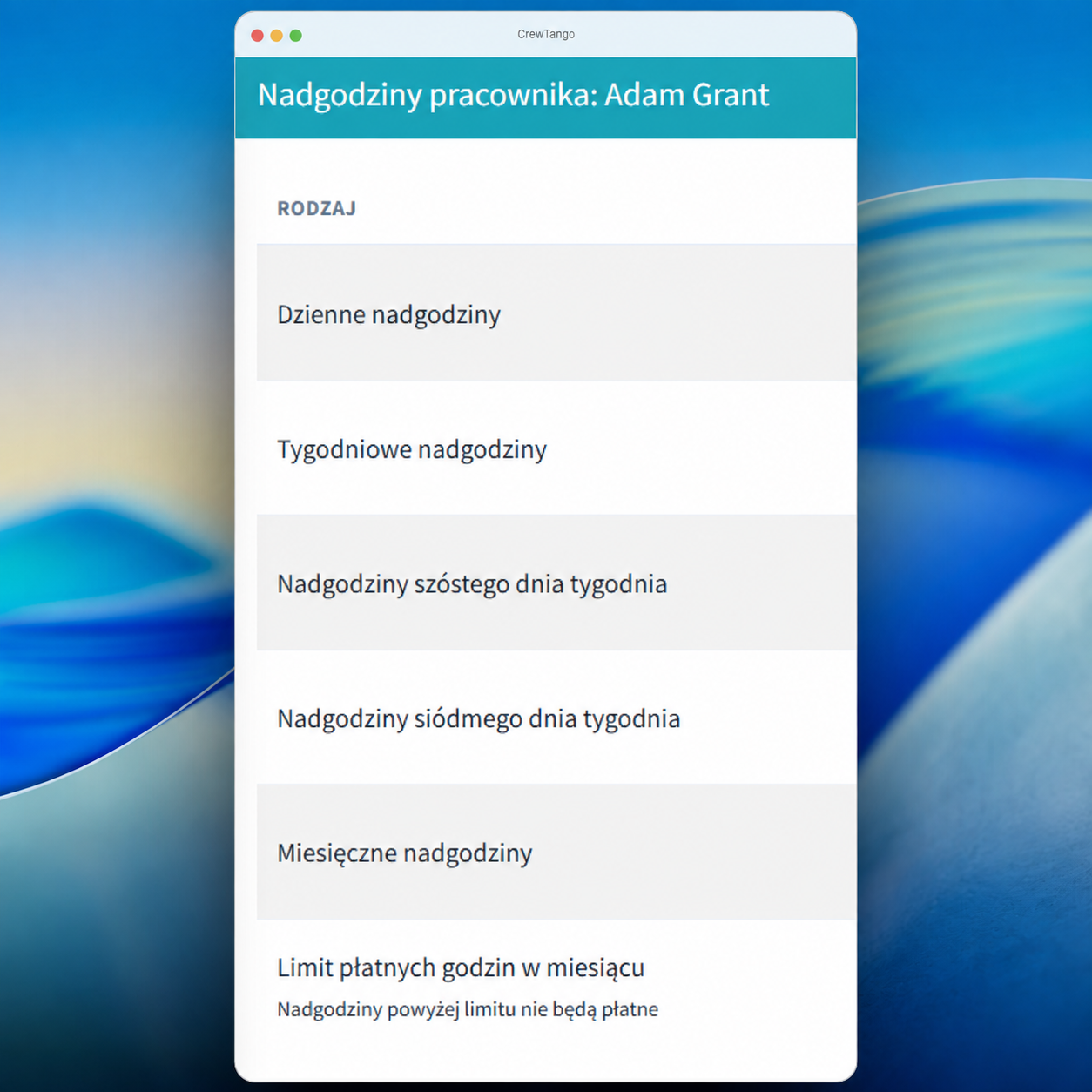
Rules distinguish daily, weekly, sixth- or seventh-workday and monthly overtime. Bonuses or deductions can adjust a work session's amount.

Thresholds

daily and weekly

Multipliers

for different overtime types

Limits

maximum paid hours

Overtime and allowances FAQ

Yes. Define overtime types and assign multipliers to them.
Yes. An adjustment can add to or reduce pay according to company rules.
Yes. The system shows regular time, overtime, bonuses, deductions and amounts separately.
Yes. A rule can cap the number of hours calculated as paid overtime.
Yes. Time reports show hours, applied multipliers and calculated amounts for the selected period.

Prepare clear overtime and allowance calculations

Create an account and see separate amounts for regular time, overtime and allowances.

Pay component breakdown

Download an example with fictional data to discuss your own workflow. Open it, print it or save it as a PDF from the browser.