INDUSTRY SOLUTIONS

Manufacturing and warehouse oversight: schedules, attendance and completed shifts

Shift work depends on continuity: enough people in the right roles, punctuality and clear hour calculations. CrewTango connects schedules with actual time, tasks and reports, so you can see whether the shift plan was completed.

Shifts and roles Attendance and late arrivals Reports and workload

Shift team in a modern production facility
MAIN CHALLENGES

Where does manufacturing performance slip?

Missing visibility causes losses: unclear staffing in required roles, late arrivals and shortfalls in planned hours.

Not enough people in required roles

Before a shift begins, it is unclear whether every position is covered.

Late arrivals and absences

You find out too late, and the shift loses momentum from the start.

Night shifts and rotations

Shifts ending the next day make planning and time calculations harder.

Hours do not match the plan

Planned-versus-actual time differences are hard to see.

Uneven employee workload

Some people work overtime while others fall short, without a quick overview.

Reports arrive at month-end

Scattered data delays decisions.

HOW WE ORGANISE IT

Scheduling, attendance and reports in one system

Manufacturing needs repeatable processes and timely information. CrewTango provides a process that works on every shift.

Shift roles and positions

Plan roles such as operator, packer or forklift driver with clarity.

Locations / work zones

See who is in each production or warehouse zone.

Planned and actual work

See required planned hours, late arrivals and absences.

Reports and workload

Quick summaries without manual calculations.

VIEWS

Clear schedules, workloads and summaries

Plan shifts and review completed work in views every shift manager can understand.

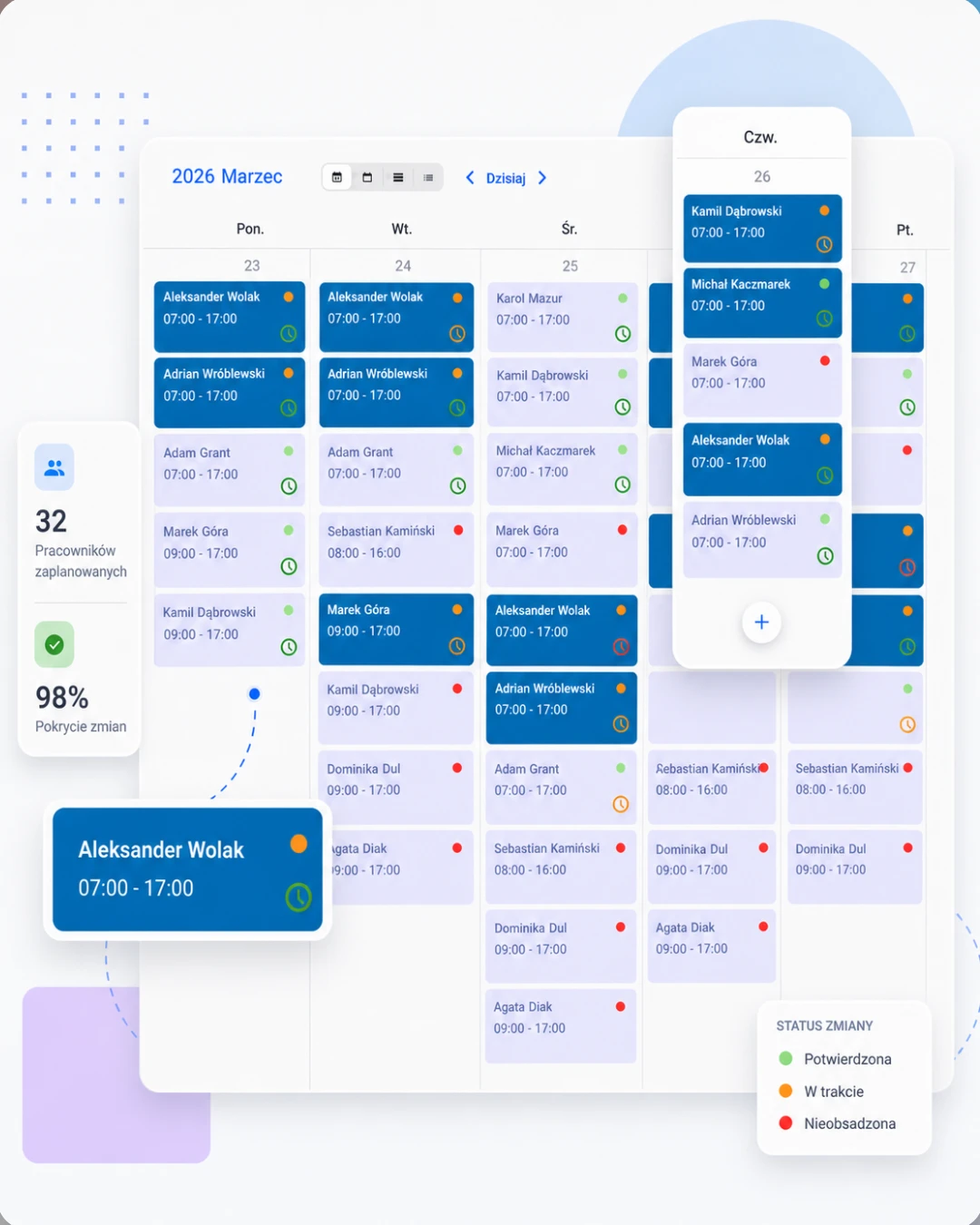
Shift schedule and roles in CrewTango
Shift schedule and roles
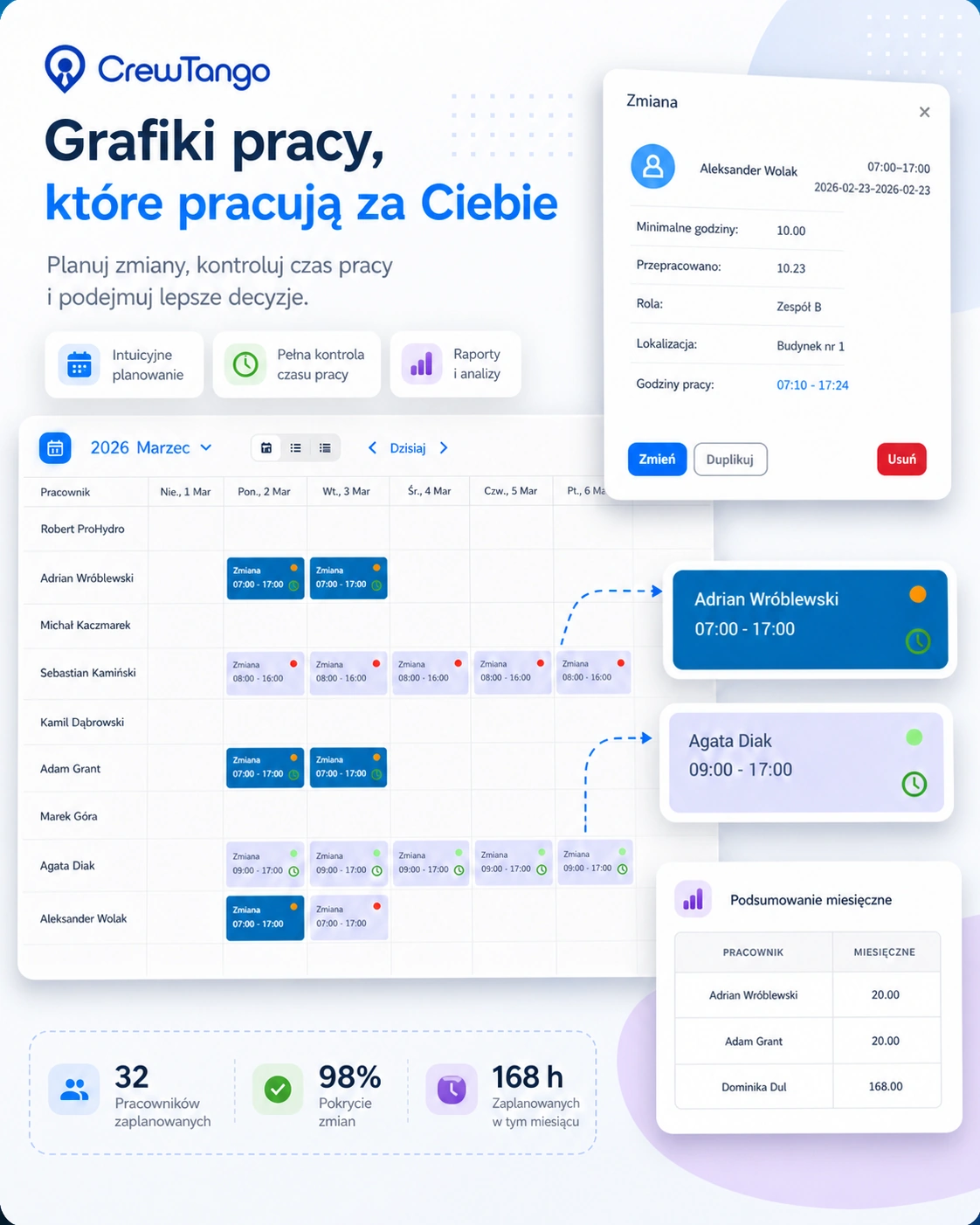
Plan roles and locations
Roles and workplaces on the shift
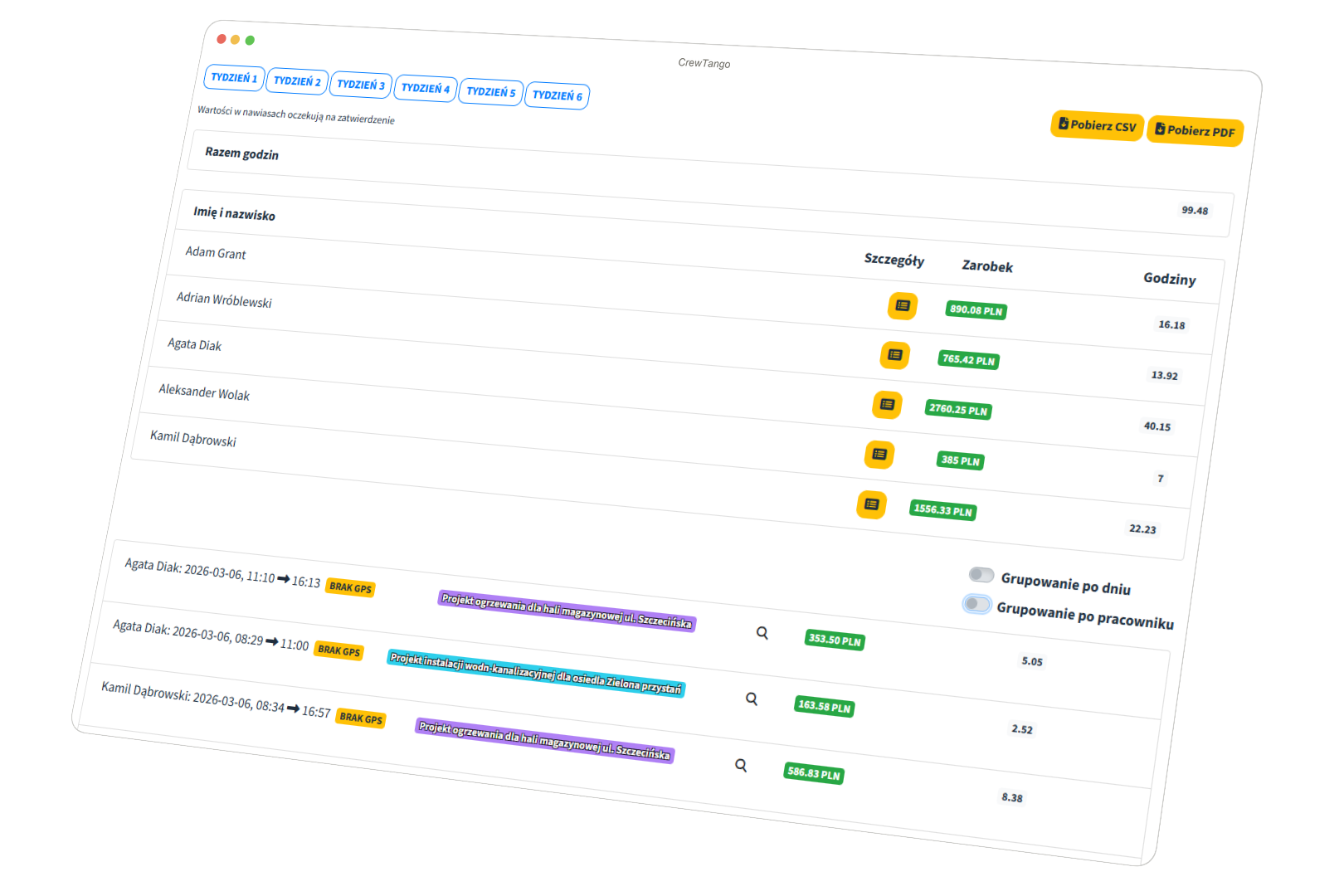
Recorded working time summary
Recorded working time
PLANNING

Multiple schedules for departments and shifts

Create separate schedules for departments, roles and zones. Handle night shifts, rotations and employee moves between locations.

  • Multiple schedules per company
  • Shifts ending the next day
  • Shift roles and locations
Shift planning view in CrewTango
WORKLOAD

Quickly see hour shortfalls and excesses

The hours table helps balance schedules and reduce overtime. Show assigned hours alongside the plan.

EmployeePlanned hoursRequired hoursRecorded working hoursDifferenceStatus
Jan Kowalski168 h160 h162 h+2 hOK
Anna Nowak168 h160 h154 h-6 hbelow required hours
Piotr Zieliński168 h160 h176 h+16 hovertime

Want to see schedules and workloads with your data?

Create an account or book a walkthrough of a shift work process.

SHIFT OVERSIGHT

See whether the shift started as planned

Schedules are linked to recorded working time. See who is absent, who arrived late and whether the shift's required hours were completed.

Absences

comparison with the schedule

Late arrivals

clear indicator

Required hours

planned target compared with actual work

SHIFT TASKS

Tasks and Kanban for every shift

From briefing to handover, priorities, ownership, progress and files stay with each task.

TODAY'S PLAN

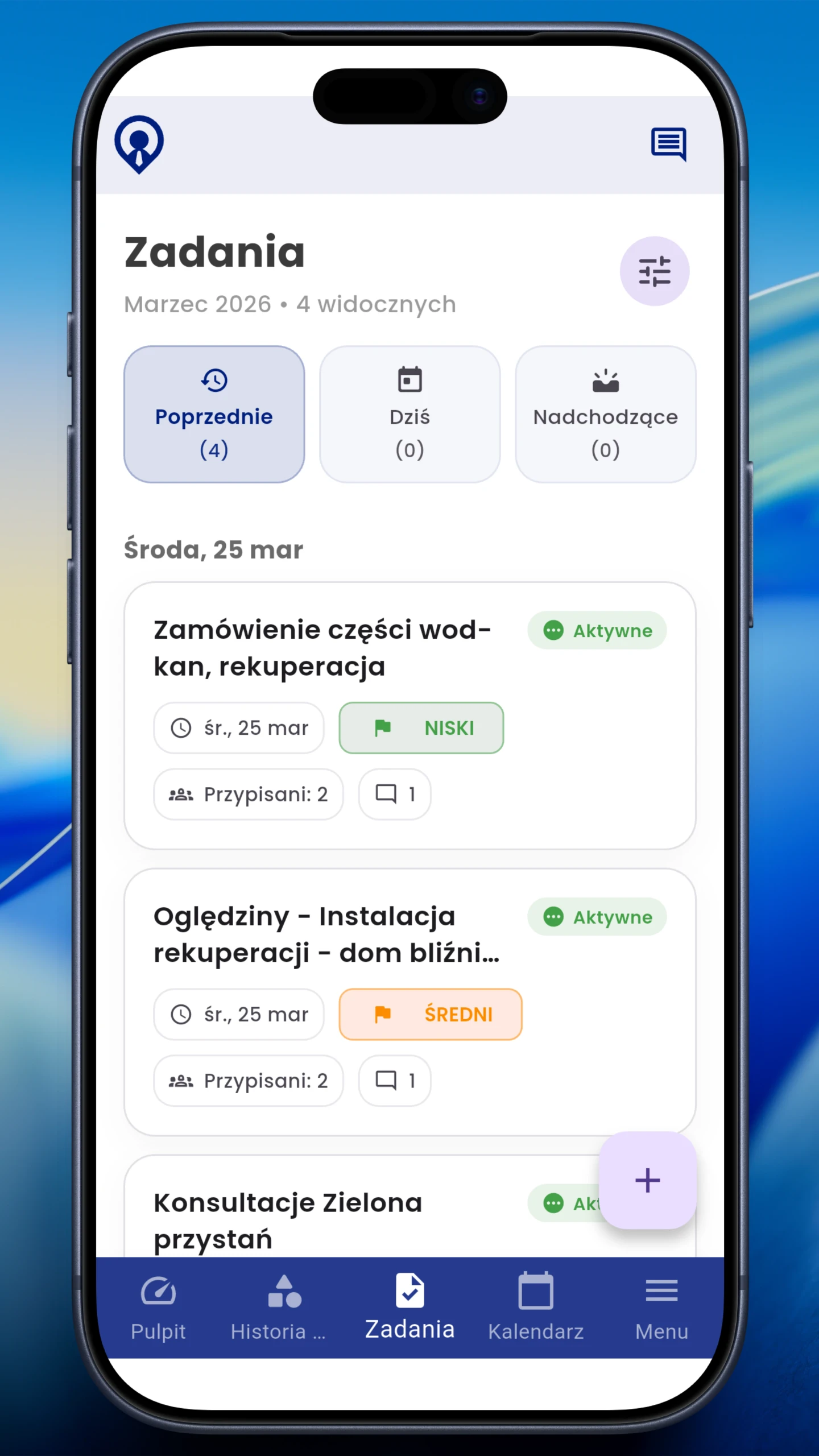
Everyone sees their shift tasks

Employees open the mobile app list and see past, current and upcoming tasks. Each shows a deadline, priority, status and comment count.

  • tasks assigned to specific people
  • priority and deadline visible without opening details
  • easy handover of unfinished work to the next shift
Shift task list in the CrewTango mobile app
WORKFLOW

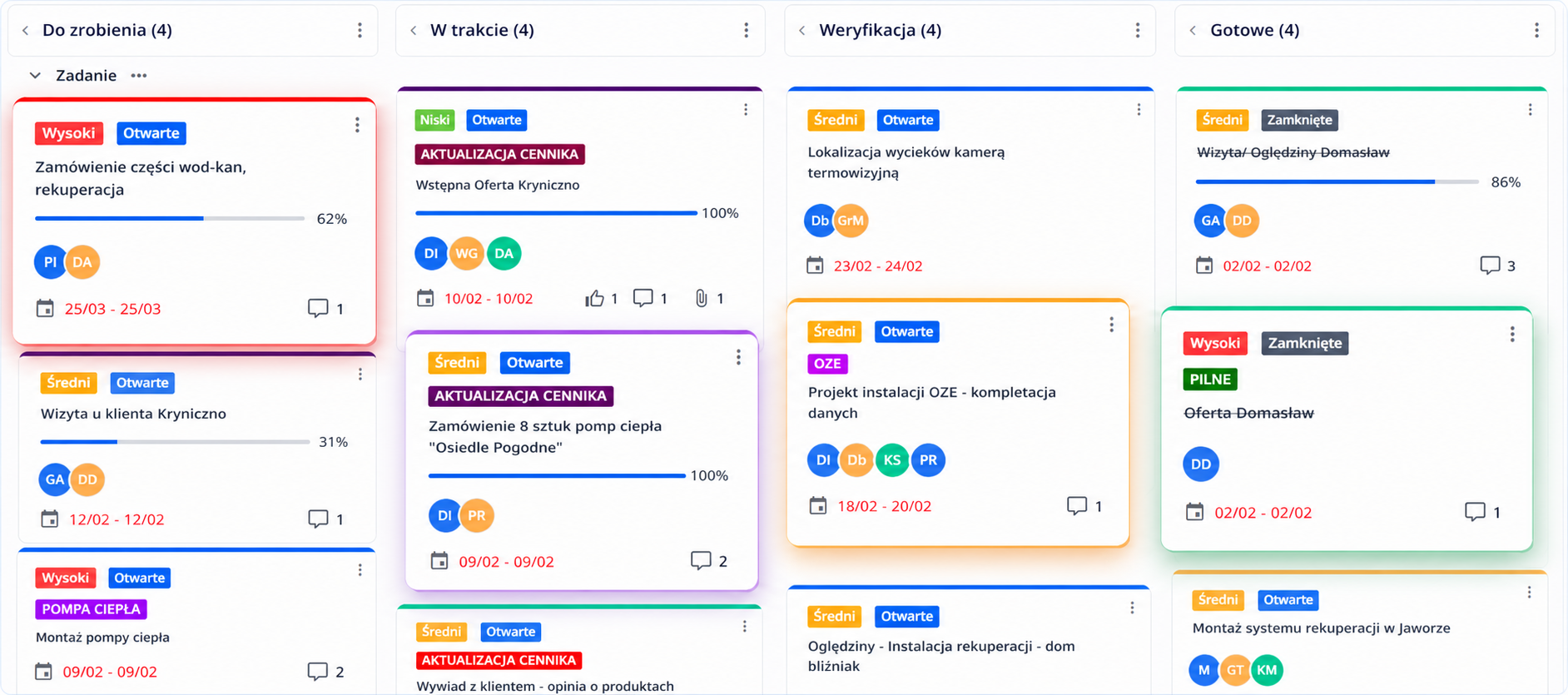
Kanban shows where the process has stalled

Adapt boards and columns to manufacturing, such as To do → In progress → Quality check → Done. Managers see workload, progress and tasks needing attention.

  • multiple boards for lines, departments or teams
  • status, priority, progress and assignees on the card
  • drag cards between process stages
Manufacturing process Kanban board in CrewTango
COMPLETE CONTEXT

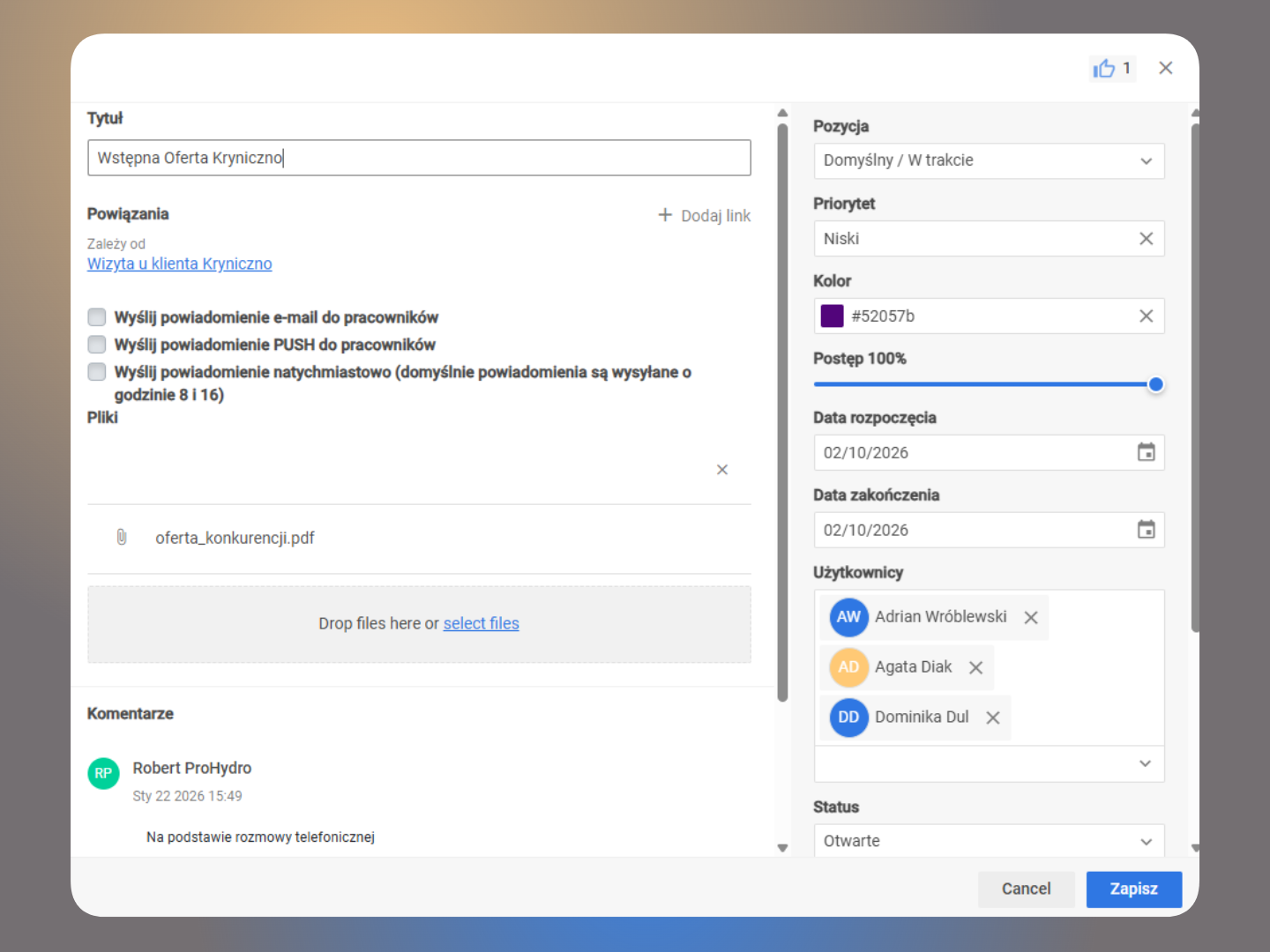
Instructions and files stay with the task

Add descriptions, comments, files and links to other tasks. The next shift receives all the information together without searching chat messages for instructions or photos of an issue.

  • comments, photos, instructions and other files
  • task relationships and dependencies
  • history of status, priority and assignment changes
Task comments, files, relationships and details in CrewTango
RELATED MODULE — WAREHOUSE

Components, locations and movements connected to shift work

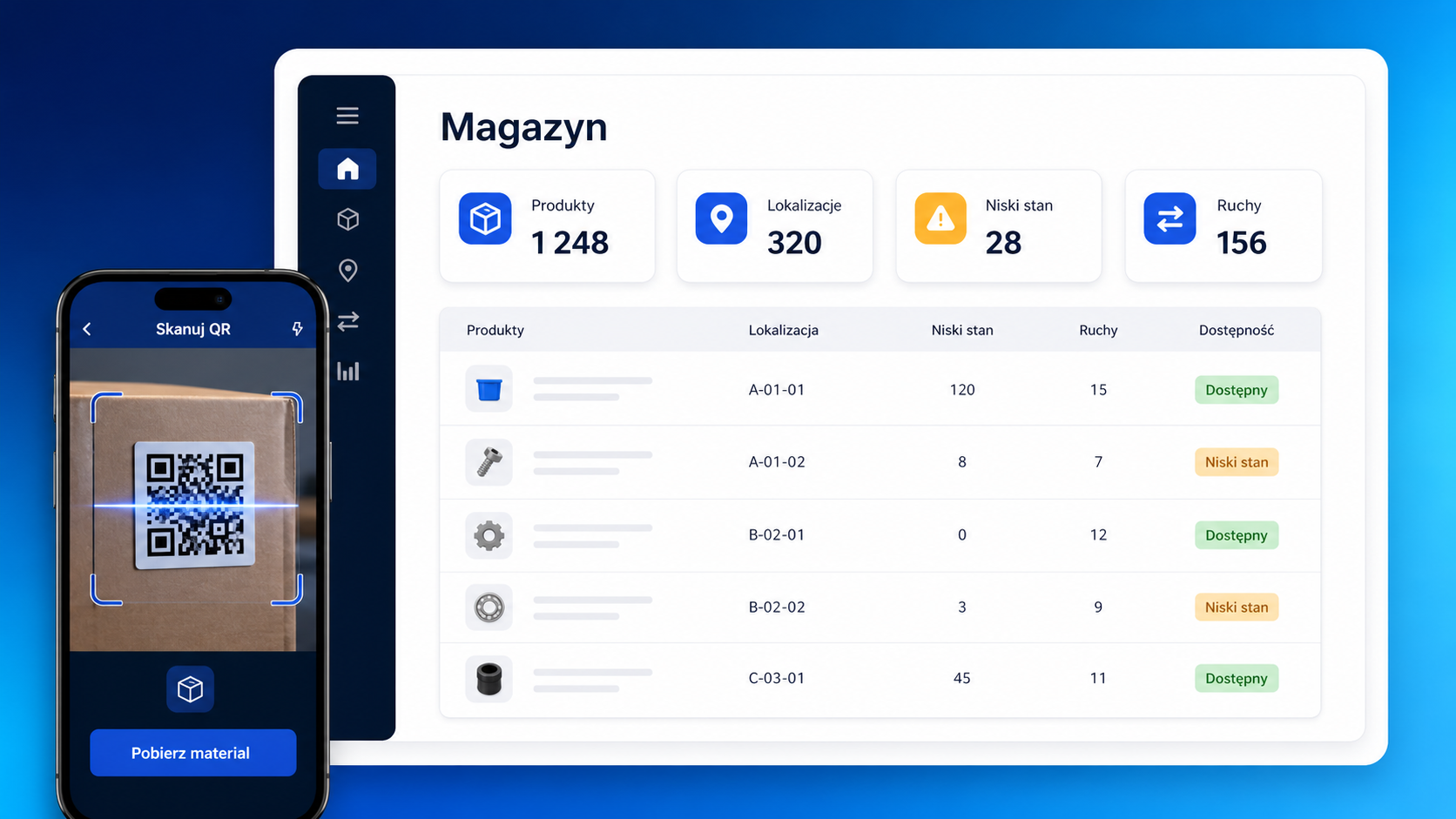
Monitor stock in the main warehouse and at production lines. Employees scan QR or NFC, and the system records issues, returns or transfers with the person, quantity and stock before and after the operation.

  • products, SKUs, units and minimum stock levels
  • hierarchical locations for facilities, racks and lines
  • issues, returns, receipts and transfers
  • complete movement history and low stock levels
Explore the warehouse module
Manufacturing warehouse module: stock, locations and QR or NFC scanning
REPORTS

Decisions based on data, not instinct

Weekly and monthly summaries show time, costs and trends, giving you concrete figures from the production floor.

Working time by department

See where the team spends the most working hours.

Mobile app vs desktop app

Tracking sources in one view.

Costs / pay

Total costs for the selected period.

Productivity (optional)

When computer activity data is needed.

Shift planning connected to time records

Managers plan roles, locations and hours, then compare schedules with work sessions. Night shifts can cross midnight without being split into separate entries.

  • Roles and locations
    assigned to shifts
  • Night shifts
    including shifts ending the next day
  • Planned and actual work
    schedule compared with working time

Who benefits?

Shift manager

Checks roles, shift starts and situations needing attention.

HR / personnel

Hour summaries and comparison with the plan.

Planner

Rotations, night shifts and workload.

Team leader

Tasks, Kanban and shift communication.

FAQ

Yes. A shift starting one day and ending the next stays in one schedule view.
Yes. Assign roles such as operator, packer or forklift driver to shifts.
Yes. Assign locations such as a facility, zone or warehouse to shifts.
Yes. Connecting schedules with working time shows planned-versus-actual differences.
Yes. The table shows planned hours, required hours and actual recorded time.

Improve manufacturing with organised shifts

Start with schedules and planned-versus-actual checks, then adapt the rest to your process.

Choose the scope your facility needs

Choose SCHEDULES & ATTENDANCE for schedules, attendance, overtime and leave. For product records, locations and material movements as well, explore the COMPANY plan with the warehouse module.