Bed pad used
Anna Kowalska ·
CrewTango · resident care
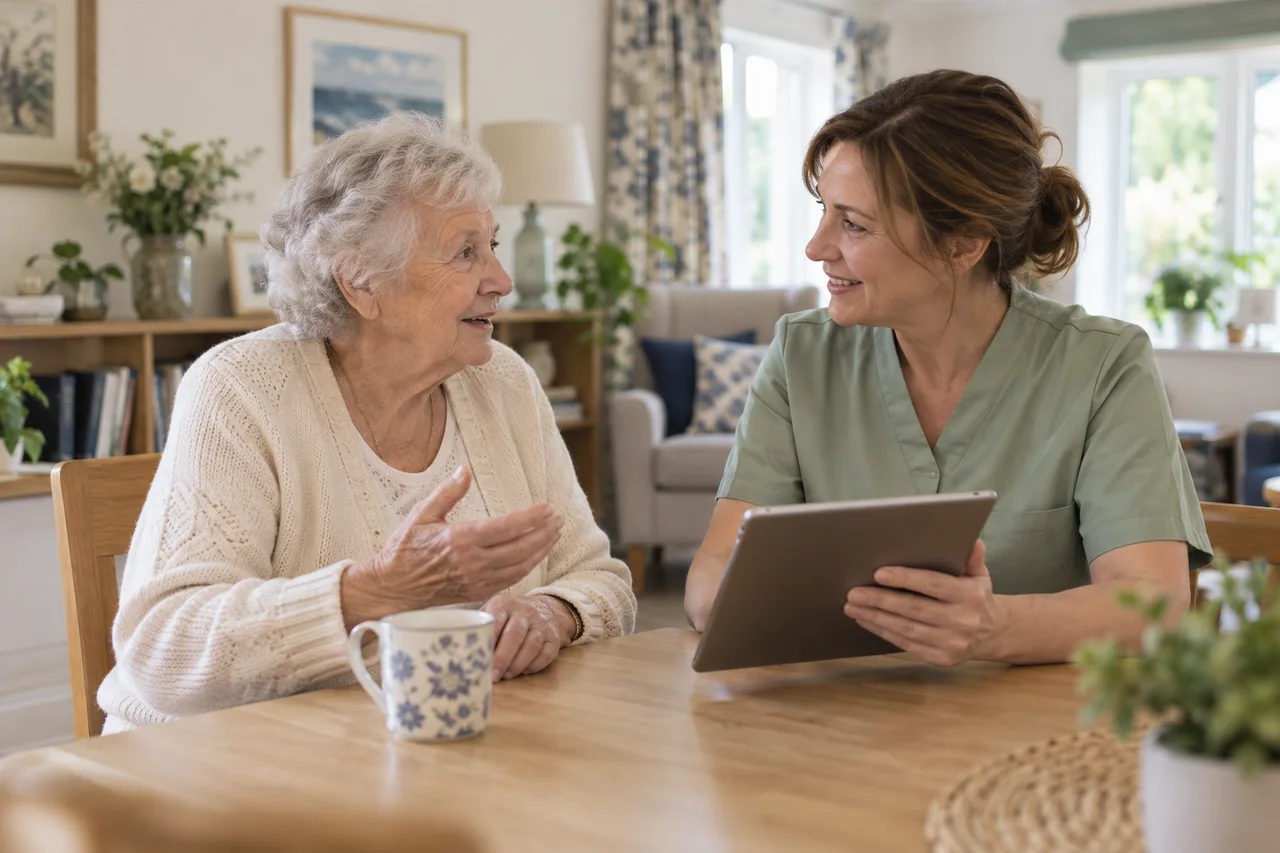
Connect resident records, care plans, action history and supplies. Help your team find important information and record the care they provide.
FIRMA plan · enabled on request
 Enlarge view
Explore the dashboard
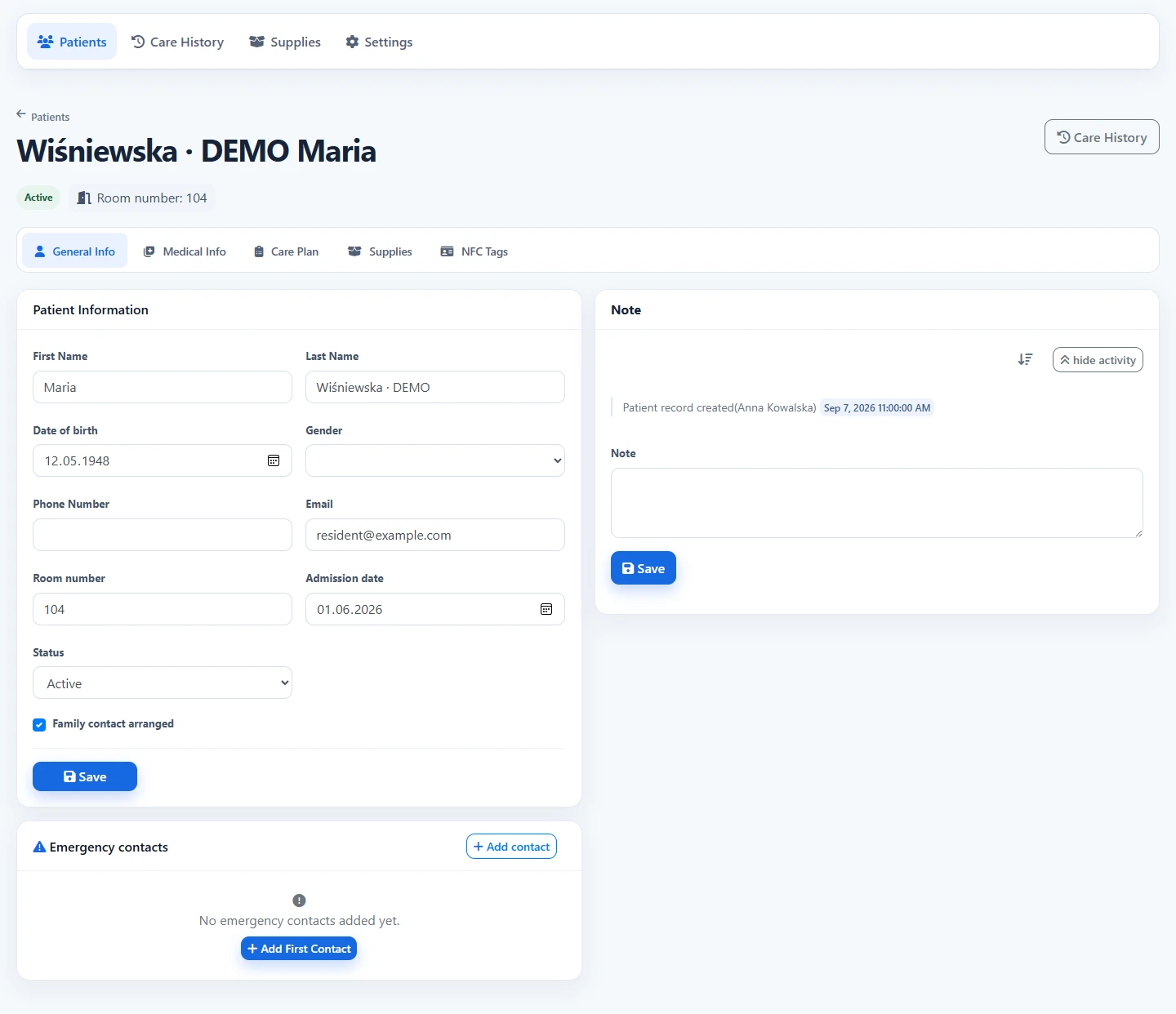
From personal details and family contacts to daily routines and individual needs. Keep key information together with the resident record.
Details, room, contacts and notes for one resident.
Dashboard preview · fictional data Enlarge view Daily routine, individual needs and the assigned carer.
Dashboard preview · fictional data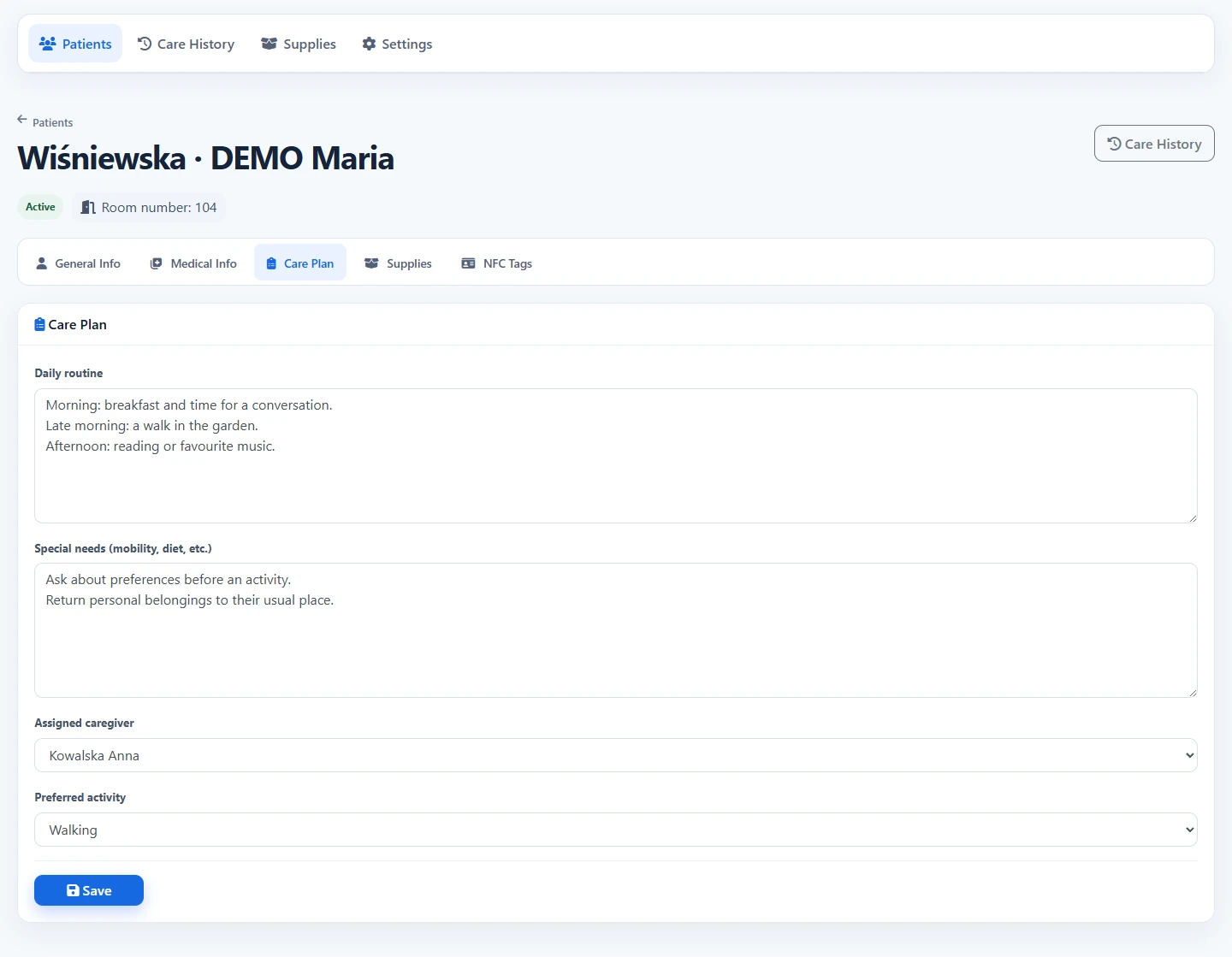 Enlarge view
 A dedicated tab for medical information shared with the care home.
Dashboard preview · fictional data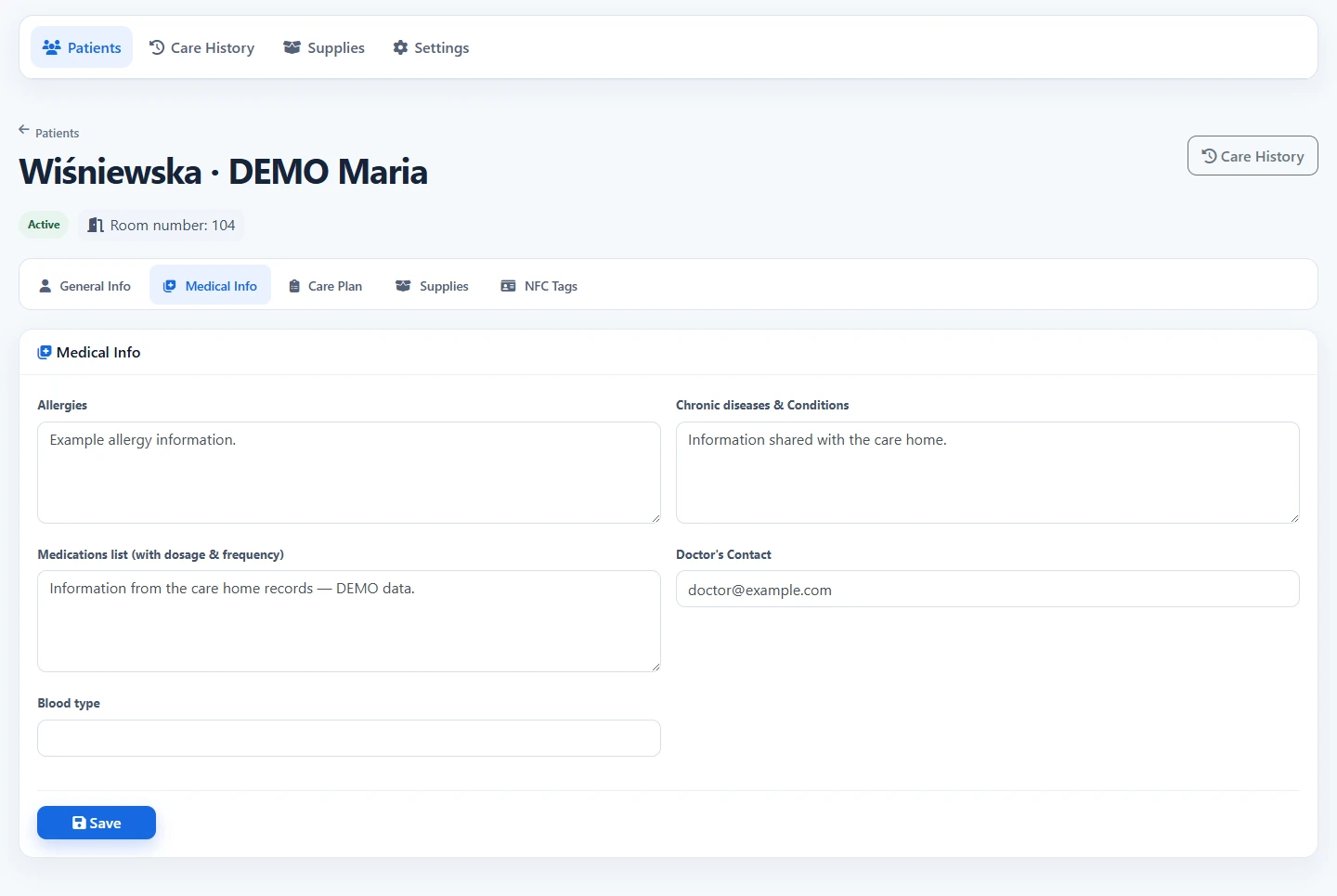 Enlarge view
 Try it · about 30 seconds
Open a sample record, log a bed pad being used and see the change in supplies and history.
Start with the information
Ask about preferences before an activity.
Record a completed action
Saved in the example
Anna Kowalska ·
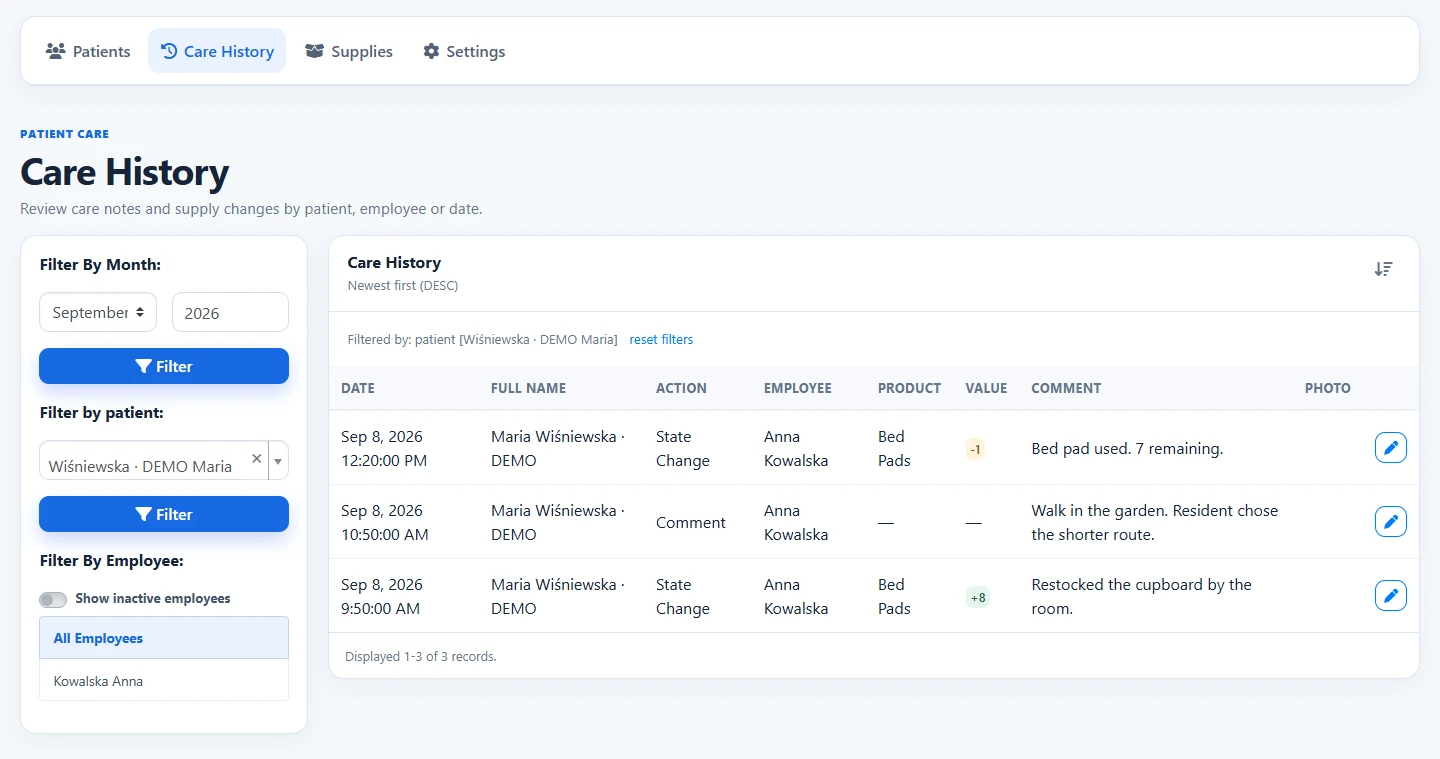
The entry shows the author, time, product and comment. The next person with access can review the history.

Keep information connected
See who added an entry, when it was recorded and what the action involved. The history helps your team review earlier care for a resident.
 Enlarge view
Everyday care supplies
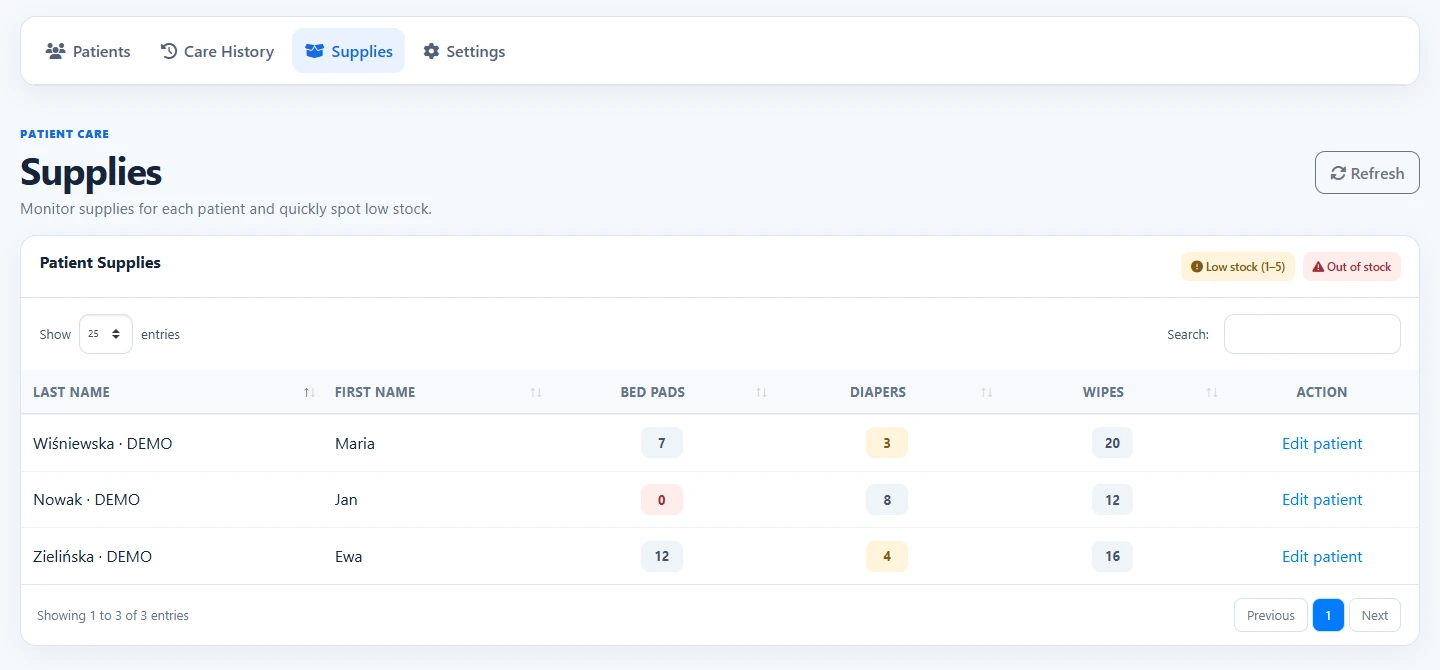
Check available products, record usage and log restocking. The overview helps you spot missing items and low stock.
 Enlarge view
Products and quantities with the right resident.
A quantity change and a comment on the action.
See who changed the stock and when.
Made for your care home
Add the information your team needs to the record. Choose text, number and date fields, dropdowns or checklists.
Set up action buttons too: add a comment, choose an entry from a list or change a supply by one unit.
Walking
12.09.2026
Personal belongings in the cupboard by the room.
NFC
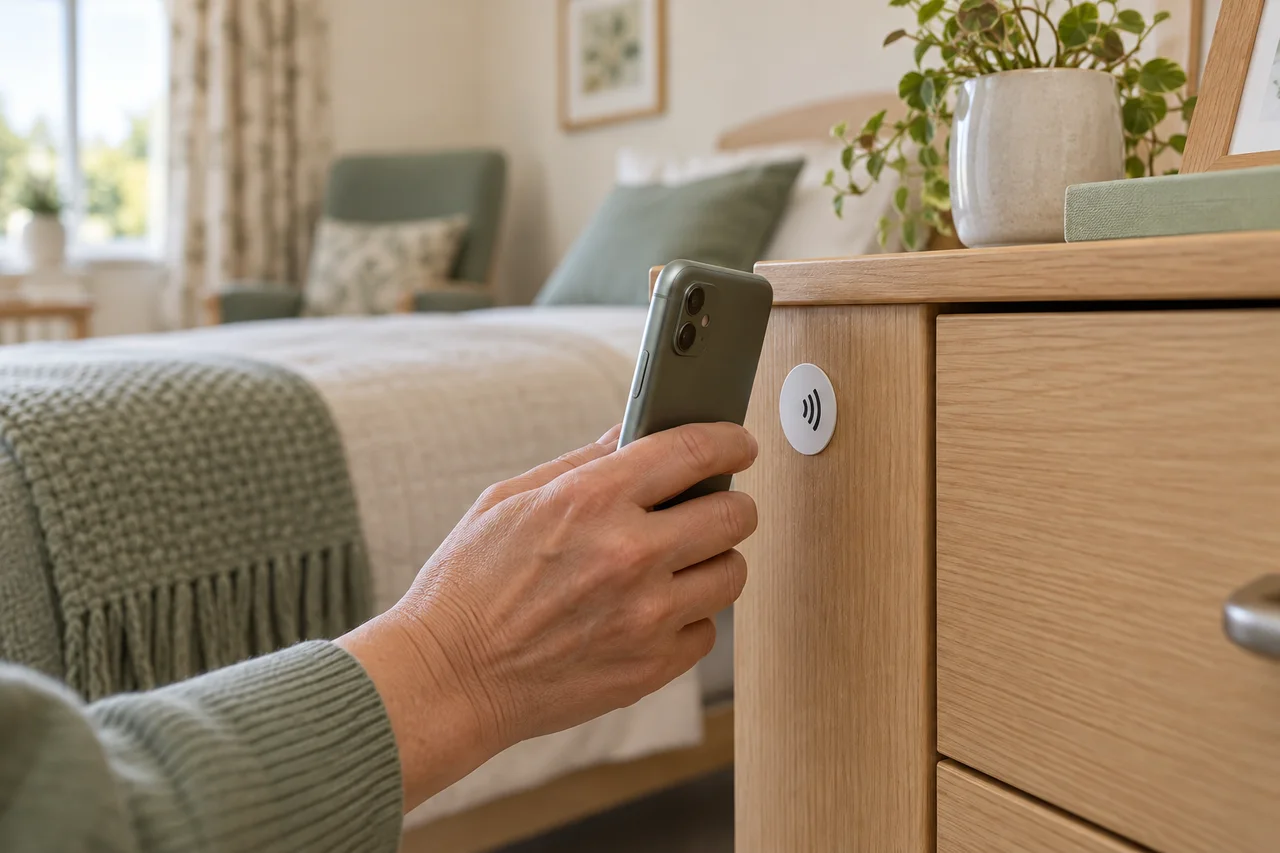
Assign an NFC tag to a resident record and add a description to identify it.
During setup, we will agree how to label places and check support on the phones and app used by your care home.
Discuss NFC for your care homeStart with a pilot
Add residents, contacts and information for everyday care.
Agree names, products and the information your team will record.
Grant access and guide carers through their first entry and history review.
Before you start
Resident records, configuration and team access — answers to common questions.
General details, room, emergency contacts, medical information, a written care plan and individual needs. Notes, attachments and supplies are also available with the resident record.
Yes. Custom fields support text, numbers, dates, dropdowns and checklists. Action buttons support a comment, a comment selected from a list, or increasing or decreasing a supply by one unit.
The module must be enabled for the company. An administrator manages records and configuration; employee mobile access requires the relevant permission. Agree the access settings before your team starts using the module.
Yes. Care history supports note attachments, including photos. Upload availability depends on the company’s configured file and storage limits.
It is a description of daily activities and individual needs, with an assigned carer and optional custom fields. The team can review it alongside earlier care history entries.
You can save a tag number and description in the resident record. Before rollout, we agree how places will be labelled and check support on the phones and app version used by your care home.
The module is available on the FIRMA plan and enabled on request. During a demo, we agree the pilot scope, fields, actions and team access.
Let’s talk about your care home
We will show you the resident record, action entry and care history. Together, we will decide where to start.
Book a demo FIRMA plan · module enabled on request