CrewTango shows project time, task progress and team workload together. Managers spot delays and overload sooner, while teams spend less time preparing updates.
A fragmented view of work, scattered context and hard-to-identify blockers make coordination difficult.
Without a current overview, people spend time asking how work is progressing.
Without app and website data, daily working patterns are harder to understand.
Time, tasks and completion records sit in several systems, making a current overview difficult.
Project problems become visible only after the deadline.
Missing project time and priority data makes estimates harder.
When progress slows, it is hard to distinguish process problems from loss of focus.
See the information needed for decisions first. App, website and configuration details appear further down the page.
Compare recorded time with the plan and spot rising costs sooner.
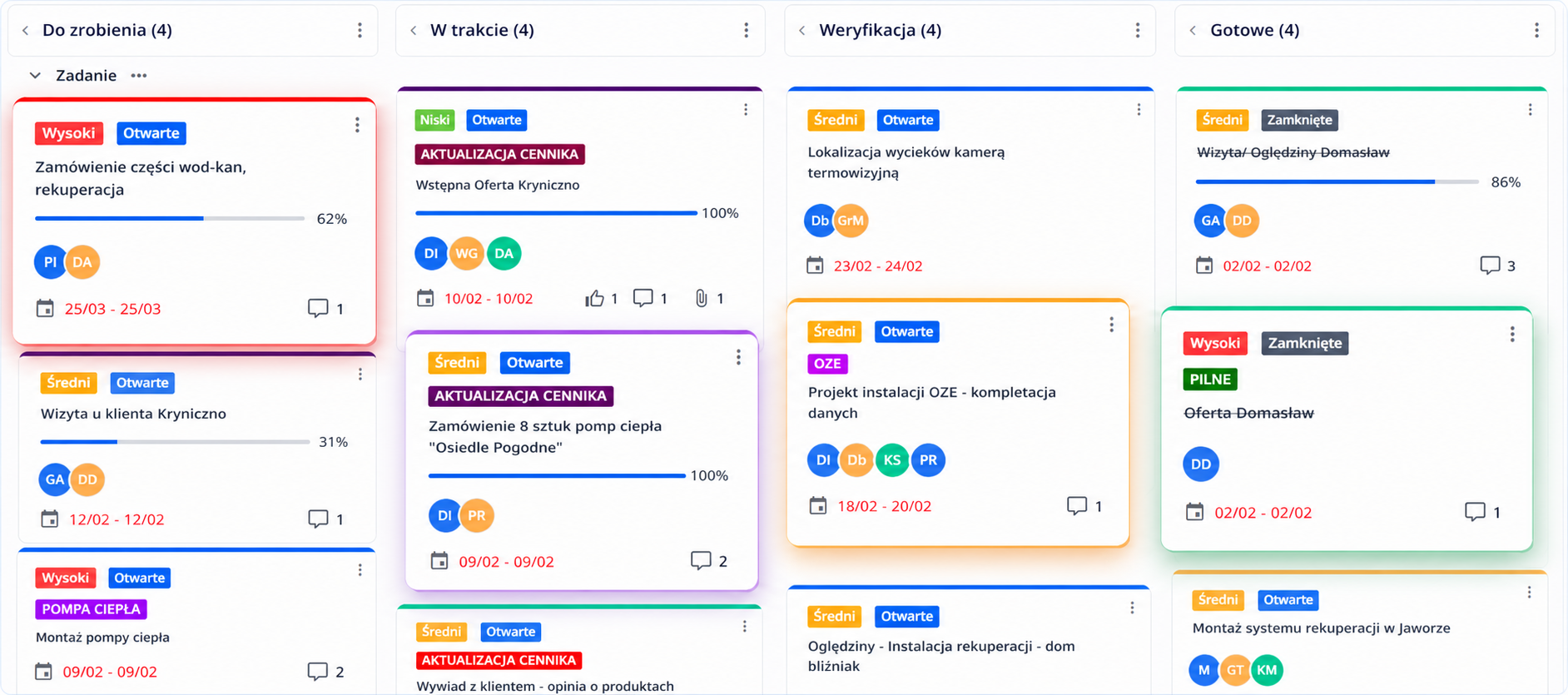
Tasks have owners, priorities and stages, making it easier to see where support is needed.
Managers check current work without constantly asking the team for updates.
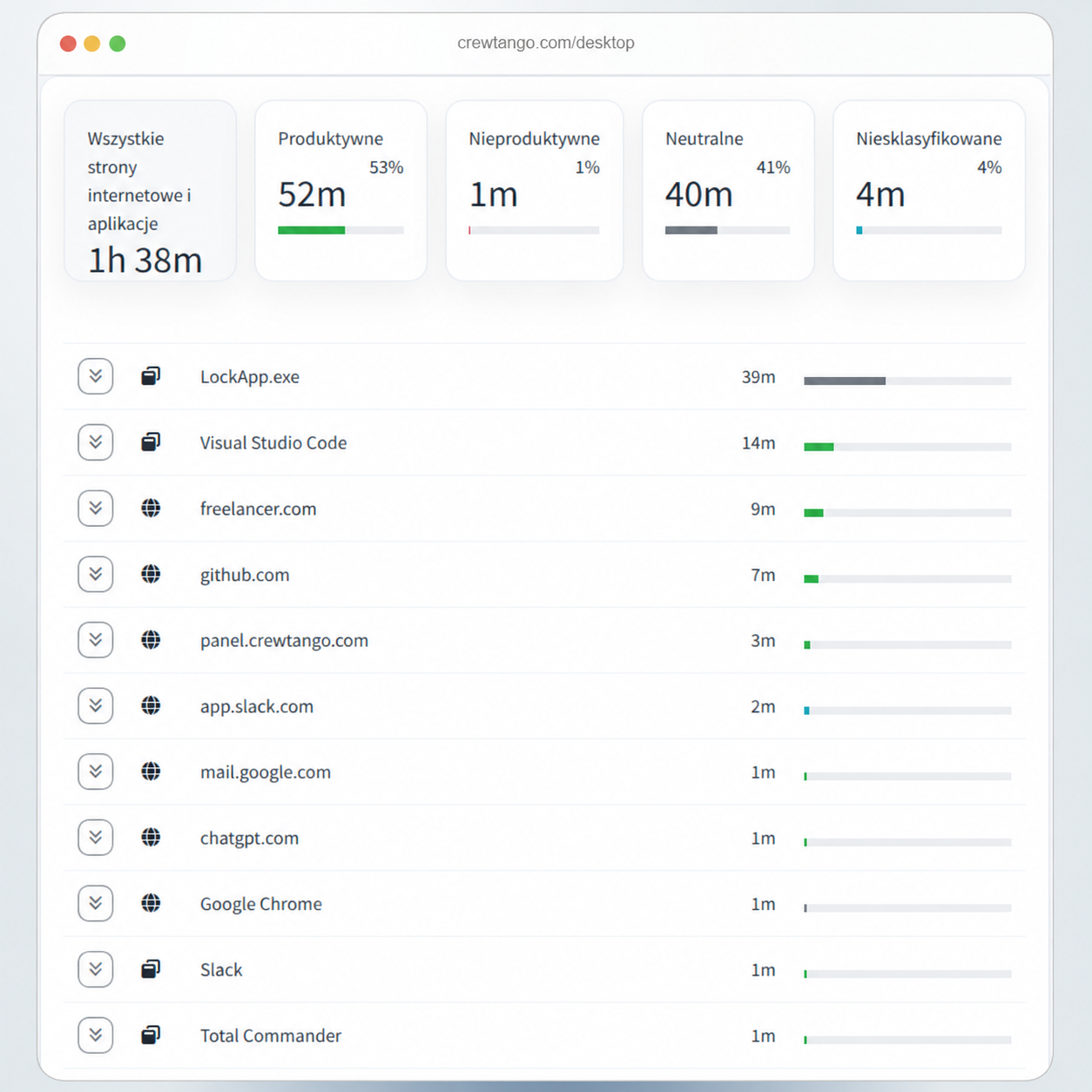
The Windows/Mac desktop app records time and helps explain the day: apps used, websites visited and changing work patterns. Configure the scope and enable the features you need.
A tool useful to one team may be irrelevant to another. Assign apps and websites to categories that reflect company rules.
Useful, neutral or distracting, according to company rules.
See how time usage changes week by week.
Data helps discuss the process using concrete information.
From planned work through delivery and review to closure, the team sees ownership, deadlines and the current stage.
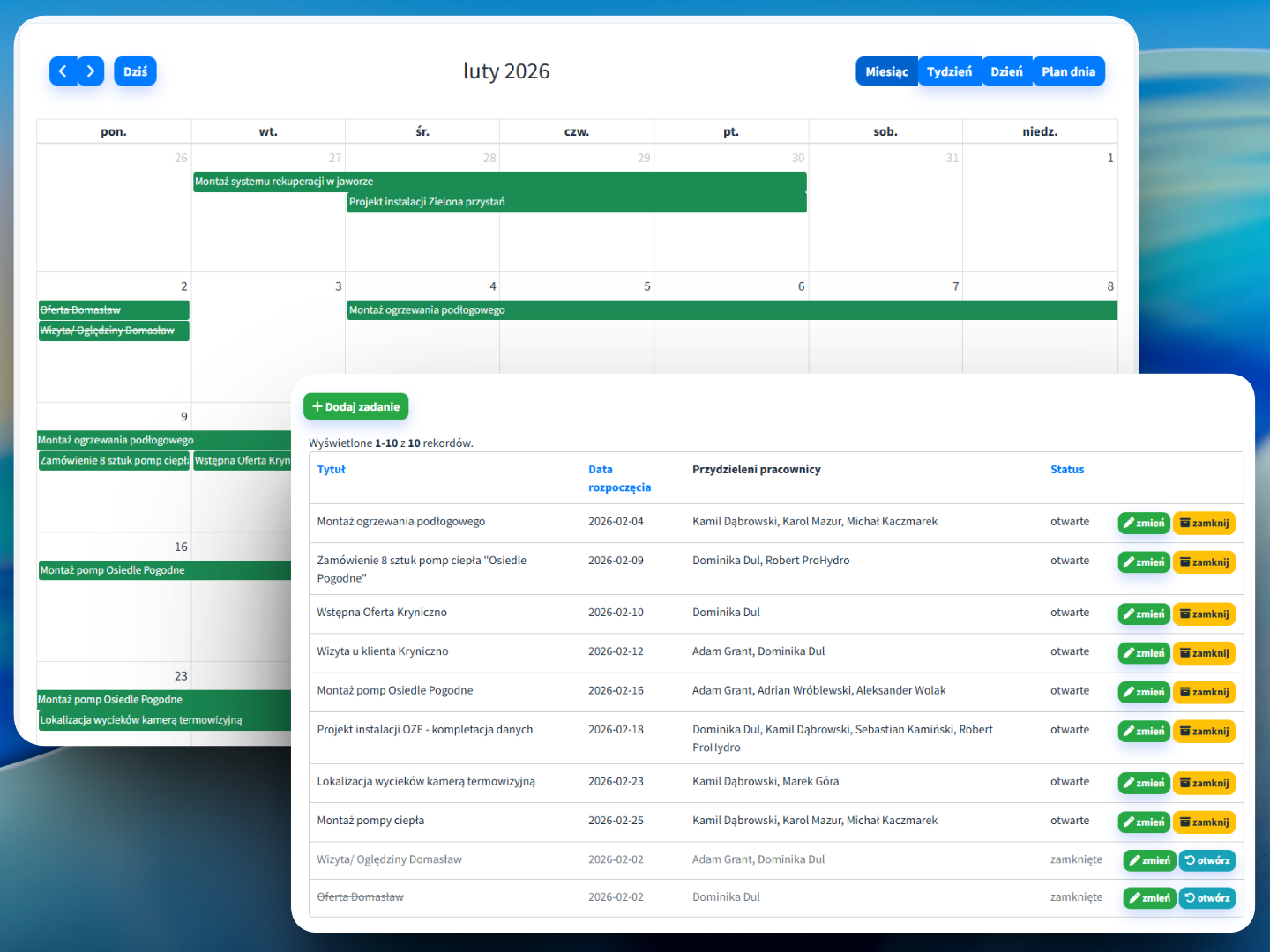
Organise tasks by priority, deadline and project. Assign people and review upcoming work in the list or calendar.

Adapt columns to your process, such as Planned → To do → In progress → Review → Done. Move cards and follow progress without extra status meetings.

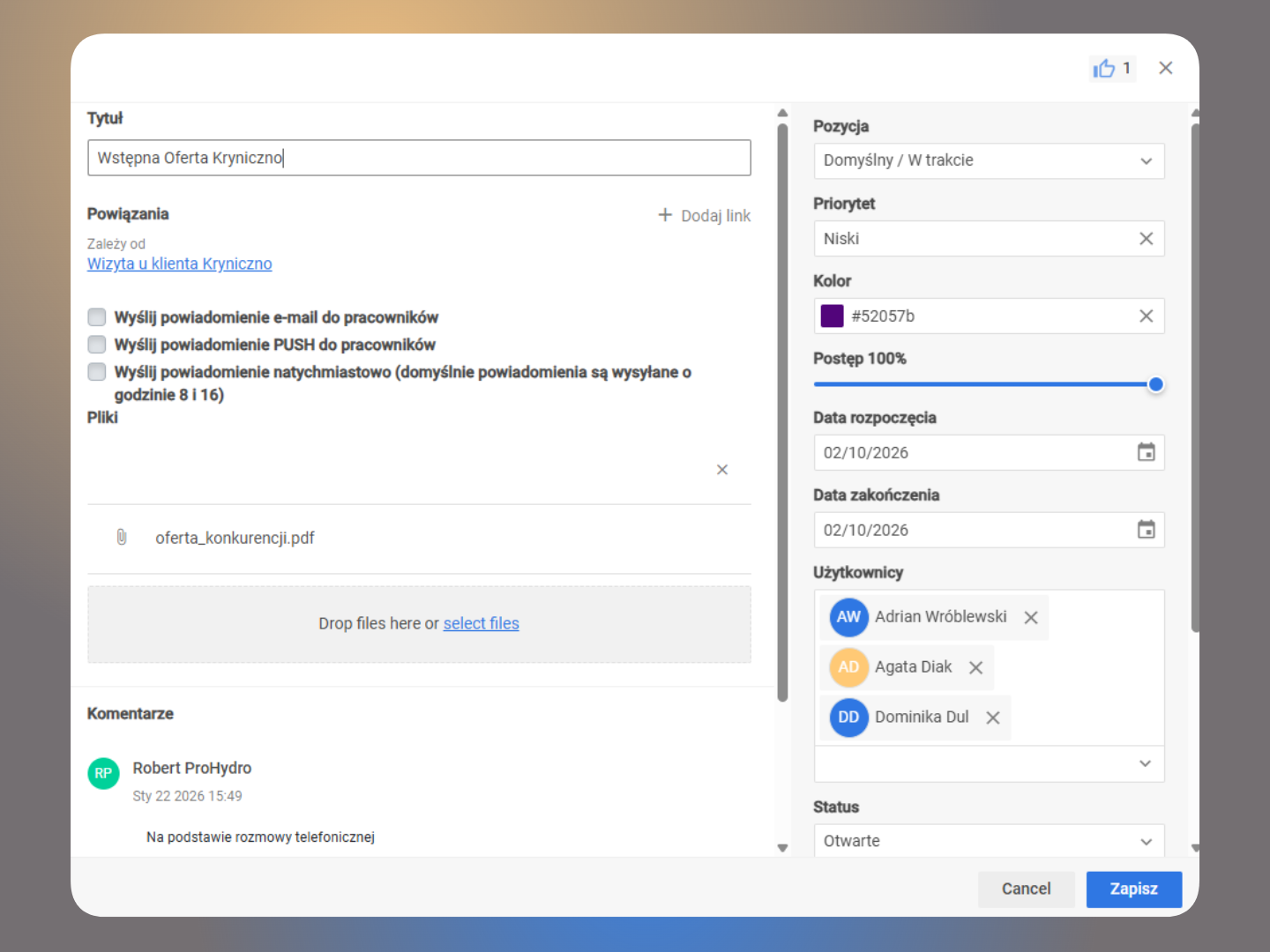
Comments, files, deadlines, assignments and dependencies form one context. History shows who changed a status, priority or work stage.

Adapt boards, columns and permissions to the process and team roles.
Time and activity reports support estimates, future planning and identifying deviations.
Compare changes and see where the team spends working hours.
Insight into team working patterns helps start a discussion about the process.
Create an account or book a walkthrough of a sample setup for a software development company.
Office work needs clear rules. Define tracking scope, roles and data visibility in CrewTango so the tool supports the process and helps the team work with clarity.
Integrations should simplify information flow and reduce work.
Retrieve data for internal company tools and processes.
Pass time summaries and reports on for further analysis.
Link work sessions to projects and keep context with tasks.
Work sessions, app and website categories, and task statuses create a shared project overview. Adapt tracking scope to company rules.
desktop app
categories based on company rules
statuses, priorities and attachments
Cost control and delivery pace.
Work status, blockers and project plans.
Team working patterns and task status.
Clear tasks and fewer interruptions for updates.
Start with project time and tasks. Adapt detailed computer work rules to your team's needs.