EMPLOYEE
Submits dates and type
Chooses an available type, dates and duration. Adds a comment or required attachment. Can save a draft and return to it later.
Requests, decisions and availability in one place. See who is planning time off, check balances and account for approved leave when planning shifts.
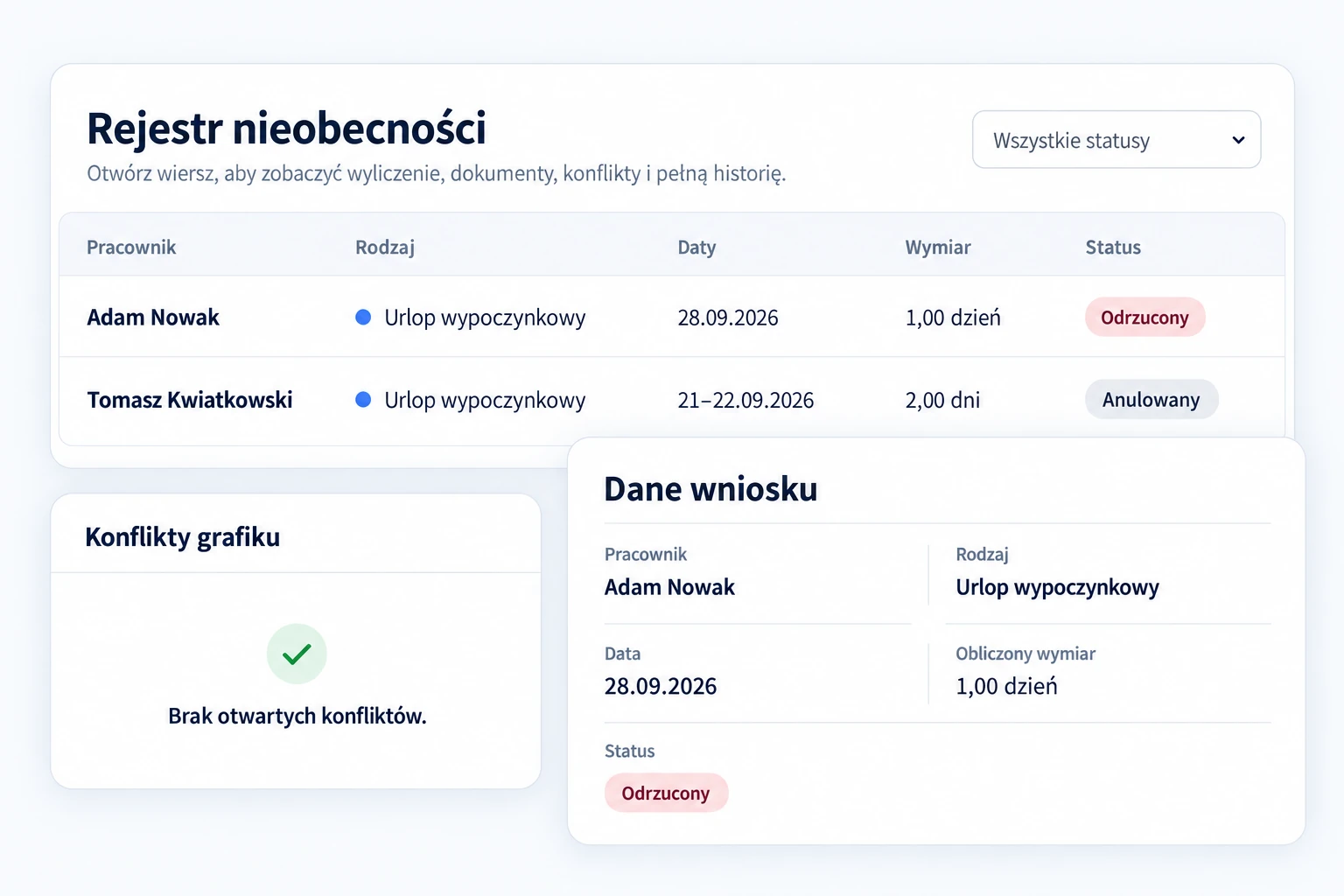
Request status matters when planning shifts.
Requests, details and history in one register.
Absences connected to the shift schedule.
Allowances, reservations and usage.
Employees can see the status of their requests. Approvers have the absence amount, documents and schedule conflict information at hand.
Chooses an available type, dates and duration. Adds a comment or required attachment. Can save a draft and return to it later.
Opens a request awaiting a decision. Checks the details, balance and conflicts. Approves or rejects it under the selected type’s policy.
Visible absences help with staffing checks. The request status and type settings determine whether dates trigger a conflict warning or block availability.
When “Blocks schedule” is enabled for an absence type, an approved absence marks the employee as unavailable. A conflict with a published shift requires a staffing review.
Account for approved days or hours of absence when planning shifts.
Check where an absence overlaps the published schedule and arrange staffing.
Check who is available and decide on cover.
May trigger a warning about a published shift conflict. It is not yet an approved absence.
Blocks availability for a type with “Blocks schedule” enabled.
If cancellation requires approval, availability stays blocked until a decision. Once cancellation takes effect, the dates are released.
They record the hours an employee was due to work and help check the required hours for a settlement period. They can come from the published schedule. If missing, fill them in or mark a day off. This is separate from the number of days deducted from the leave balance.
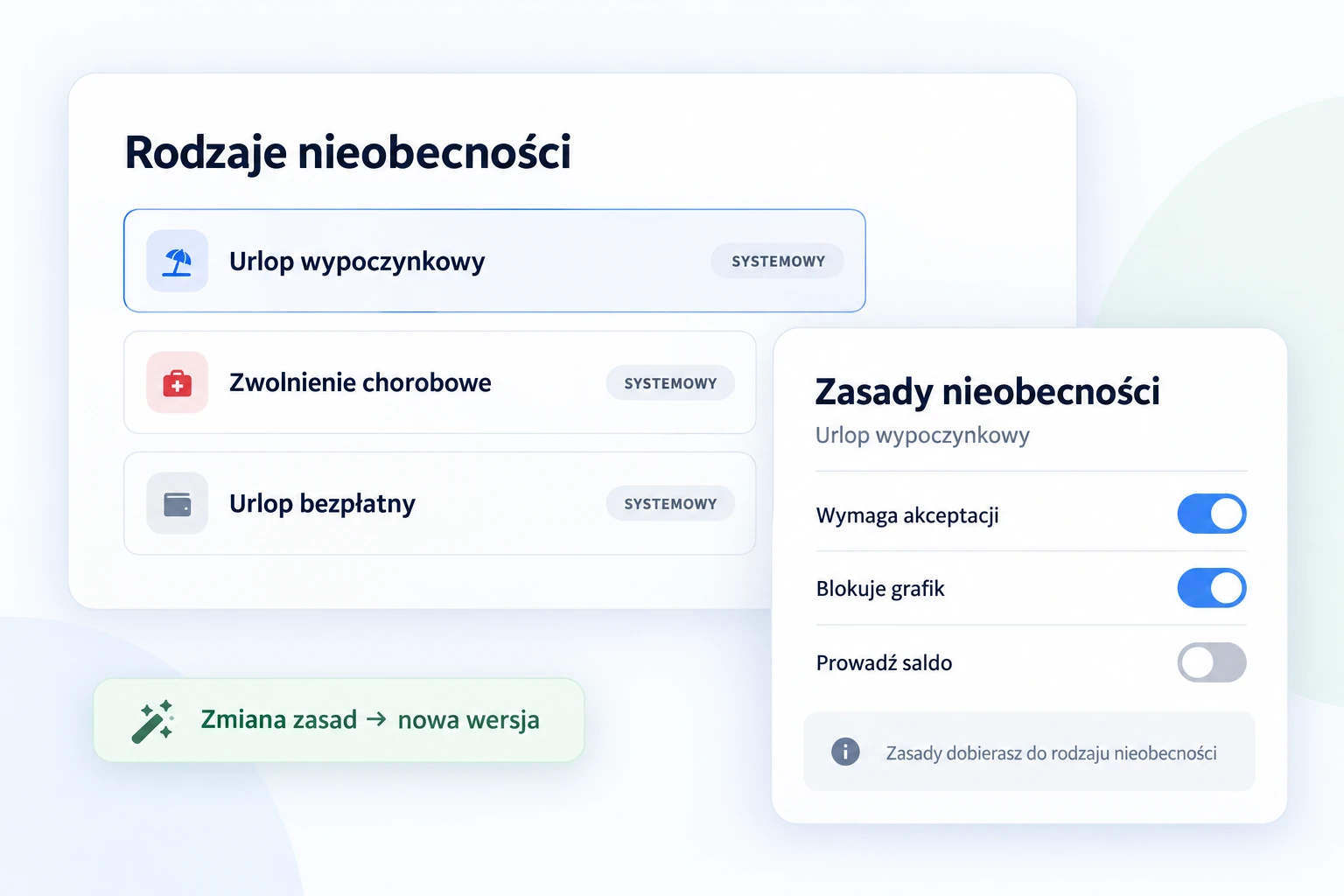
Use predefined types or add your own. Set who can submit requests, who decides and how each type affects balances and scheduling.
Configure the available options to fit your organisation and the selected absence type.
Changes create a new version. Historical requests retain the policies used in their calculation.
For types with balance tracking enabled, manage each employee’s allowance over a defined period. Distinguish granted, carried-over, reserved and used days.
Find an employee and review their account and remaining allowance.
Each change records its reason, author and time. The history helps explain the current balance.
Enable balance tracking for a specific type. Its policy determines the unit and counting method.
Annual leave · balance in days
Available to use
12 days20 + 2 − 4 − 6 = 12 available days
Dates, calculated duration, comments and documents stay with the request. Its history shows events, decision-makers and recorded reasons.
The information needed to review a request stays in its context.
Review the daily breakdown, calculation source and status changes.
Adam Nowak · 28 September 2026 · 1 day
3 September, 08:45 · Adam Nowak
Draft
3 September, 08:45 · Adam Nowak
Request awaiting review
22 September, 14:20 · Tomasz Kwiatkowski
Awaiting decision → Rejected
The approver is notified of a submission, and the employee of the decision. Email and push notification availability depends on configuration.
Key information about requests, balances and schedule availability.
This connection works in the new scheduling module. Its effect on availability depends on the absence type and request status. For a type with “Blocks schedule” enabled, an approved absence means the employee is unavailable. A request awaiting a decision may trigger a warning if it overlaps a published shift.
Rejected, withdrawn or cancelled requests do not keep availability blocked. If cancellation requires approval, the block remains until a decision. Once cancellation takes effect, availability is updated and used balance is restored if the type uses balance tracking.
Planned hours record the time an employee was due to work during an absence. They can come from the published schedule and are used to check required hours for a settlement period. Missing information must be completed or marked as a day off. This is separate from deductions from the leave balance.
Yes. You can create custom types and set employee access, approval and counting rules, and their effect on balances and scheduling. A new policy version has an effective date, while historical requests retain their previous calculation.
No. Balances apply only to types with tracking enabled. An administrator grants an allowance for an employee, type and period. The available balance accounts for granted and carried-over allowances, reservations, usage and recorded adjustments.
Available durations follow the selected type’s policy. If partial absences are allowed, the relevant time range can be specified. The portion of time covered by the absence matters when linked to scheduling.
Yes. Request details contain comments, supporting documents and event history. You can review status changes, the decision-maker and the recorded reason. Access depends on permissions.
Bring employee requests, company policies and shift schedules together in one system.